
ClosedCast Zapier Playbook
Automate your private video workflow.
Practical three-step recipes that connect the apps you already use to ClosedCast while keeping each automation easy to understand.
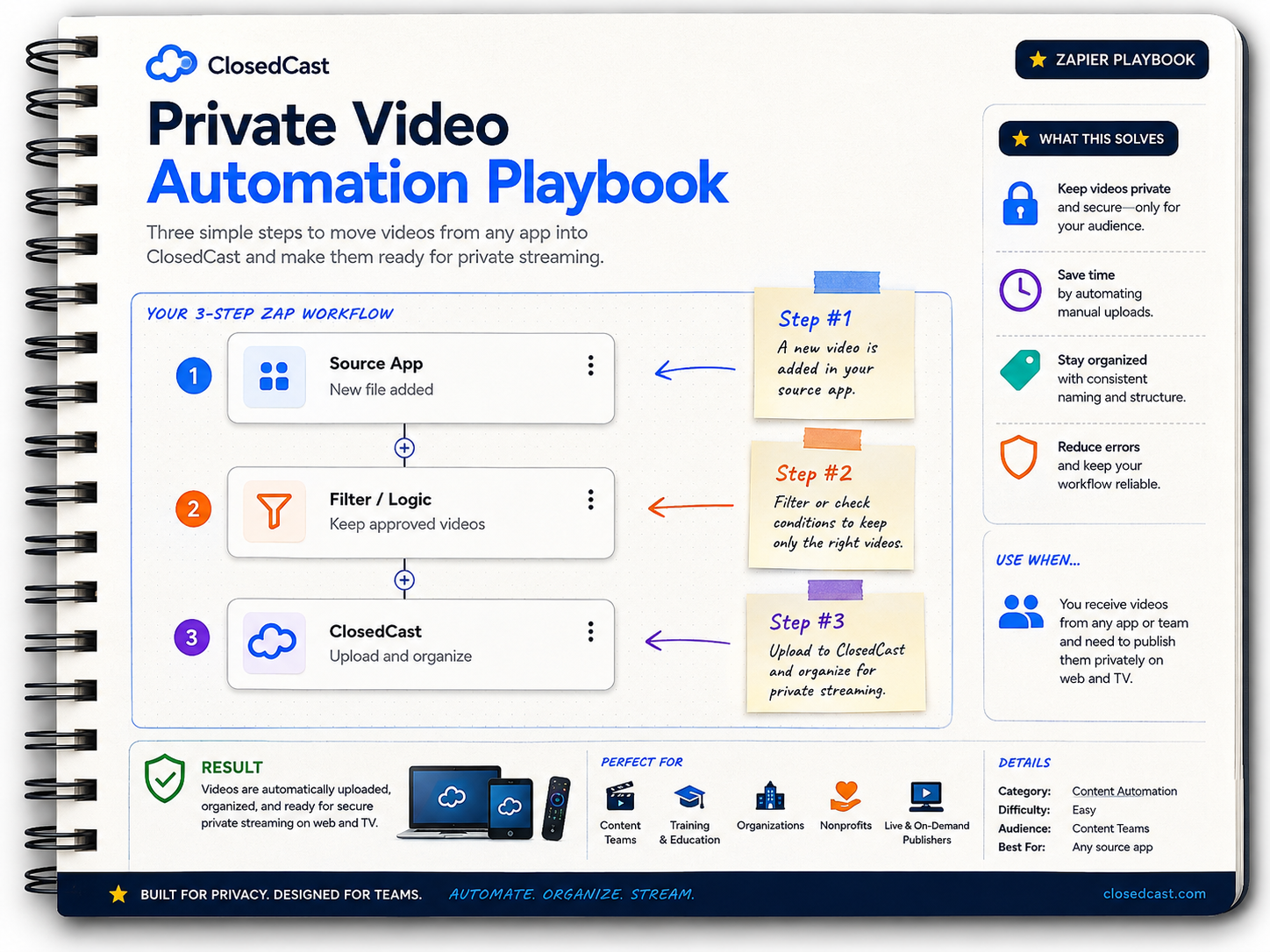
Playbook recipes
Choose a recipe, see the three real Zap steps, then open the full playbook for setup details and context.
 Zapier Playbook
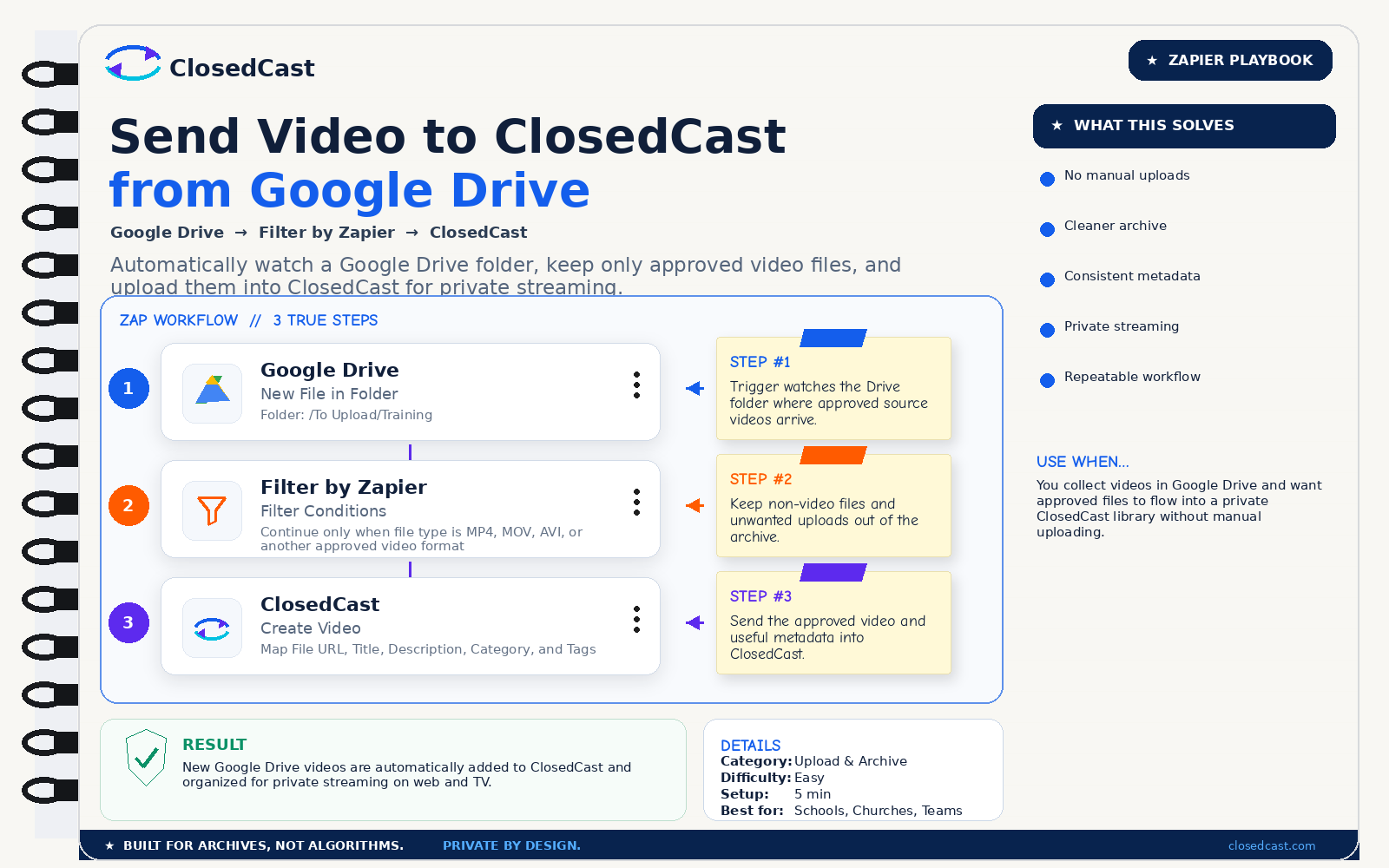
Send Video to ClosedCast from Google Drive
Automatically watch a Google Drive folder, keep only approved video files, and upload them into ClosedCast for private streaming.
 Zapier Playbook
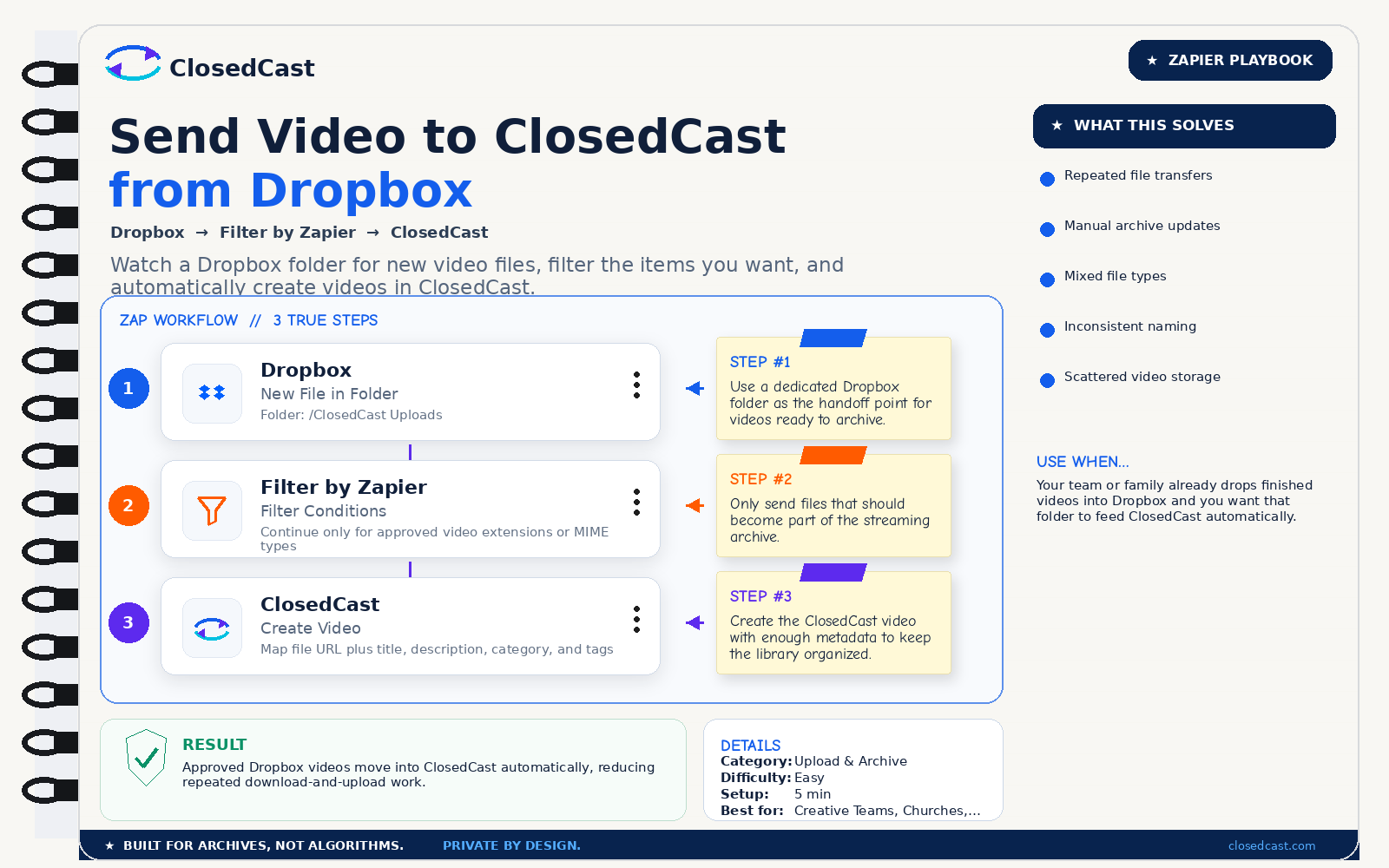
Send Video to ClosedCast from Dropbox
Watch a Dropbox folder for new video files, filter the items you want, and automatically create videos in ClosedCast.
 Zapier Playbook
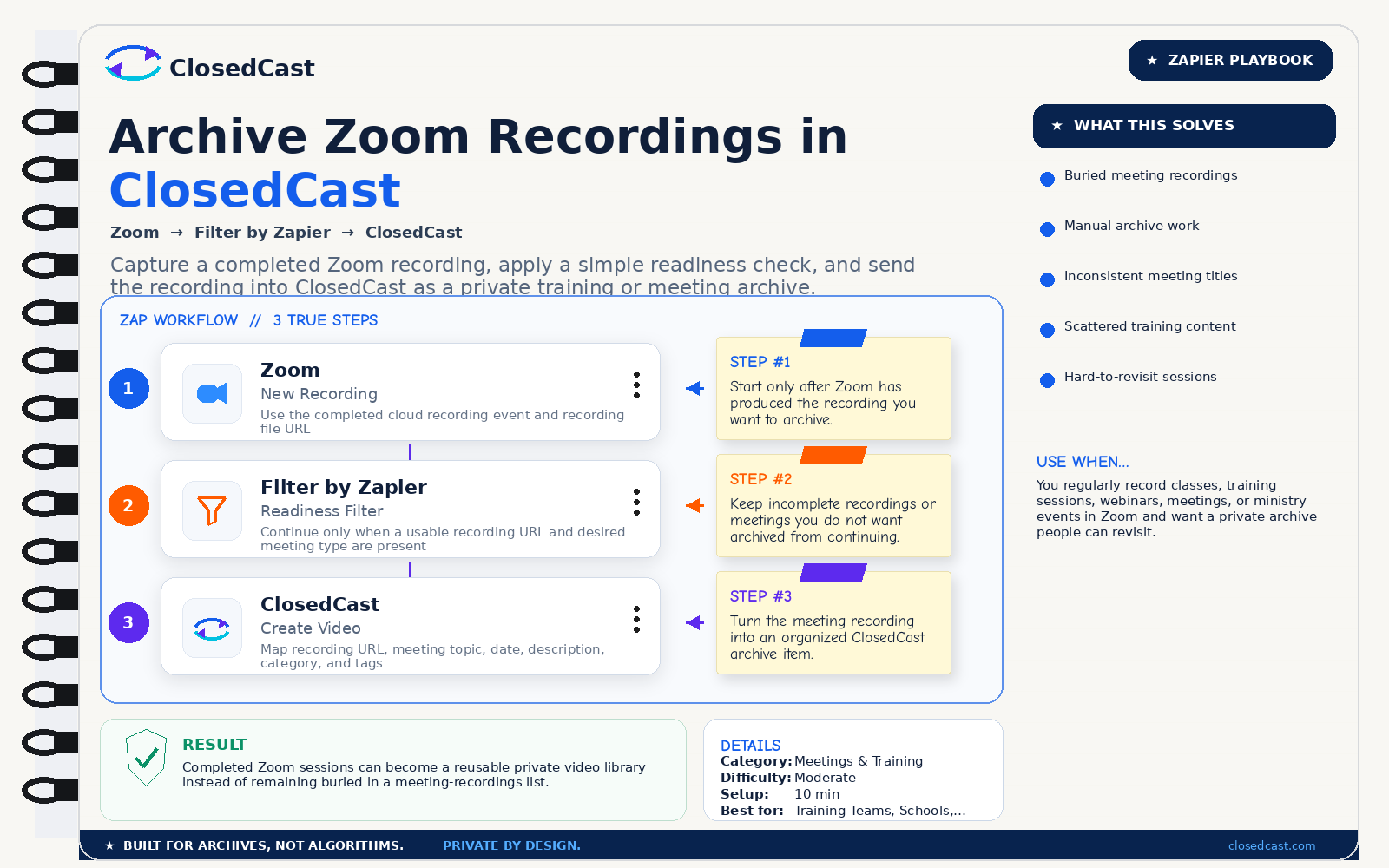
Archive Zoom Recordings in ClosedCast
Capture a completed Zoom recording, apply a simple readiness check, and send the recording into ClosedCast as a private training or meeting archive.
 Zapier Playbook
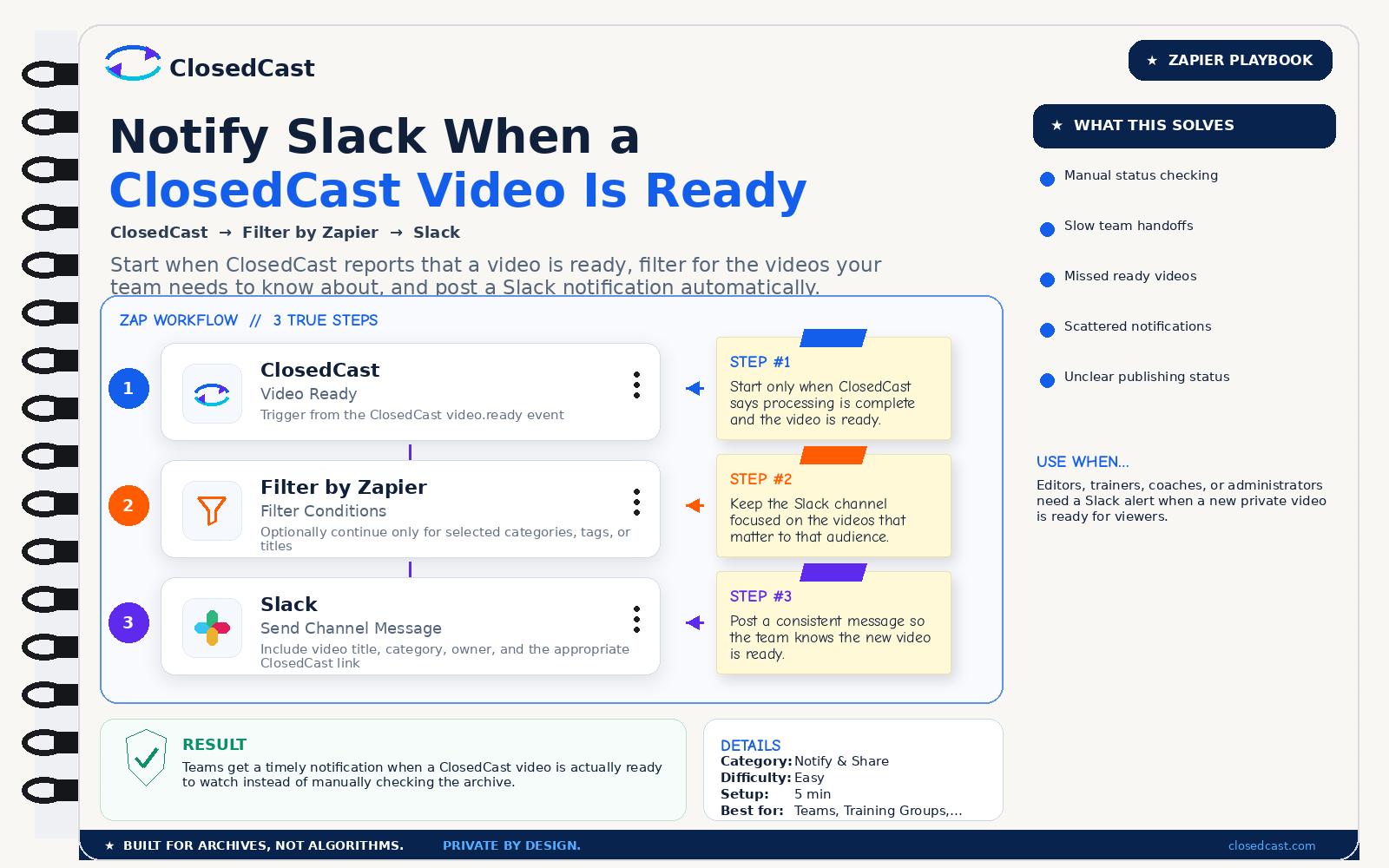
Notify Slack When a ClosedCast Video Is Ready
Start when ClosedCast reports that a video is ready, filter for the videos your team needs to know about, and post a Slack notification automatically.
 Zapier Playbook
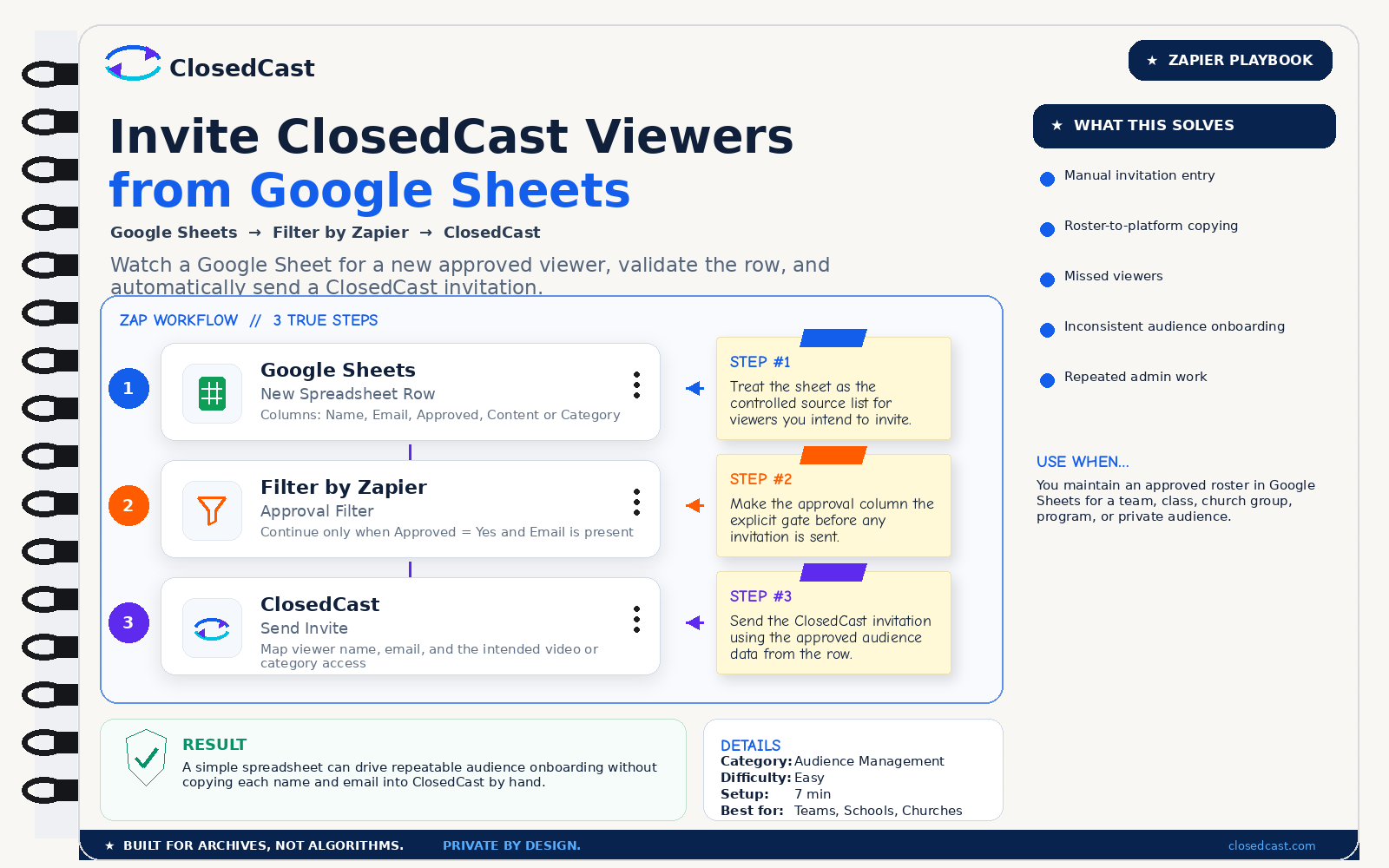
Invite ClosedCast Viewers from Google Sheets
Watch a Google Sheet for a new approved viewer, validate the row, and automatically send a ClosedCast invitation.
 Zapier Playbook
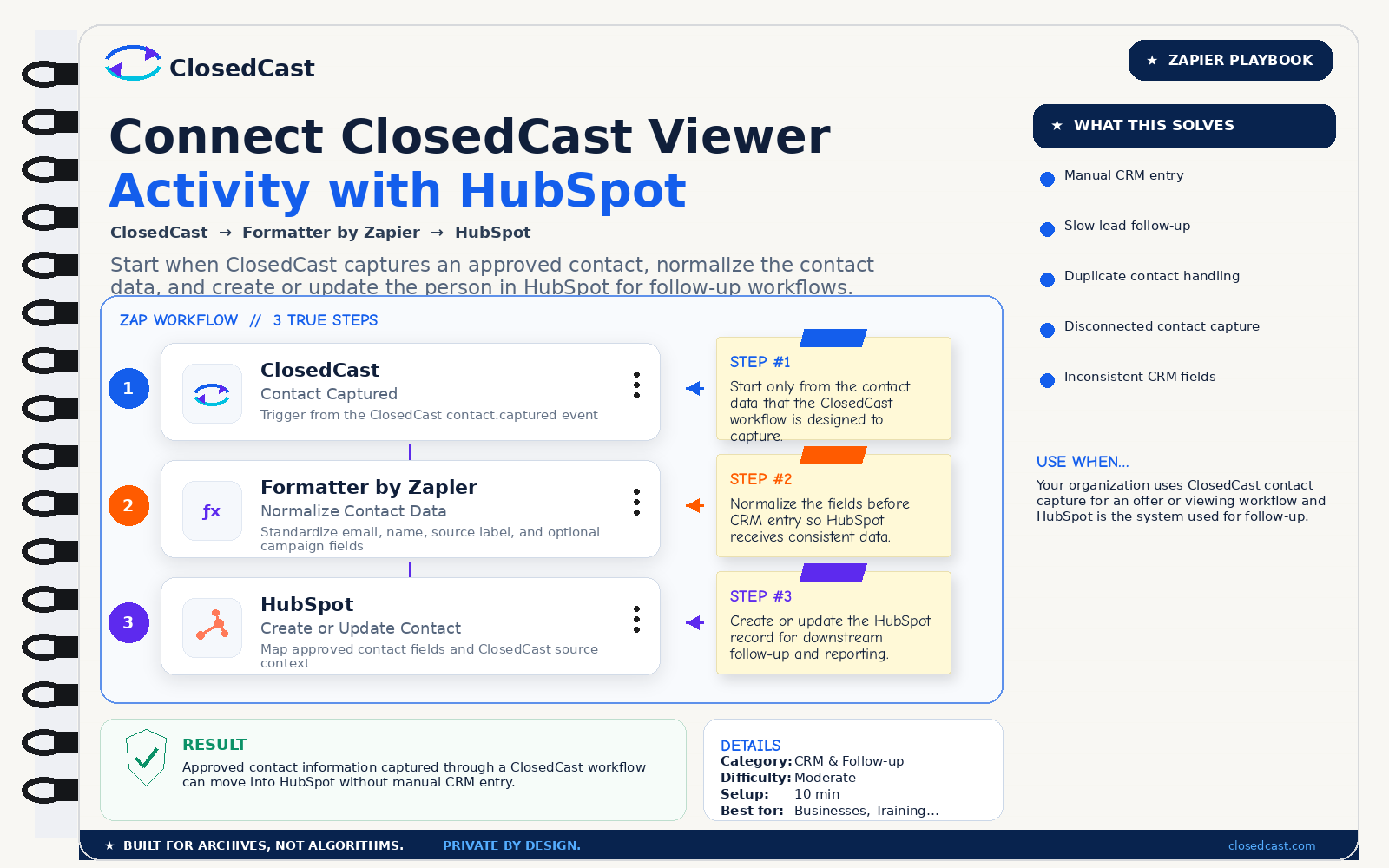
Connect ClosedCast Viewer Activity with HubSpot
Start when ClosedCast captures an approved contact, normalize the contact data, and create or update the person in HubSpot for follow-up workflows.
 Zapier Playbook
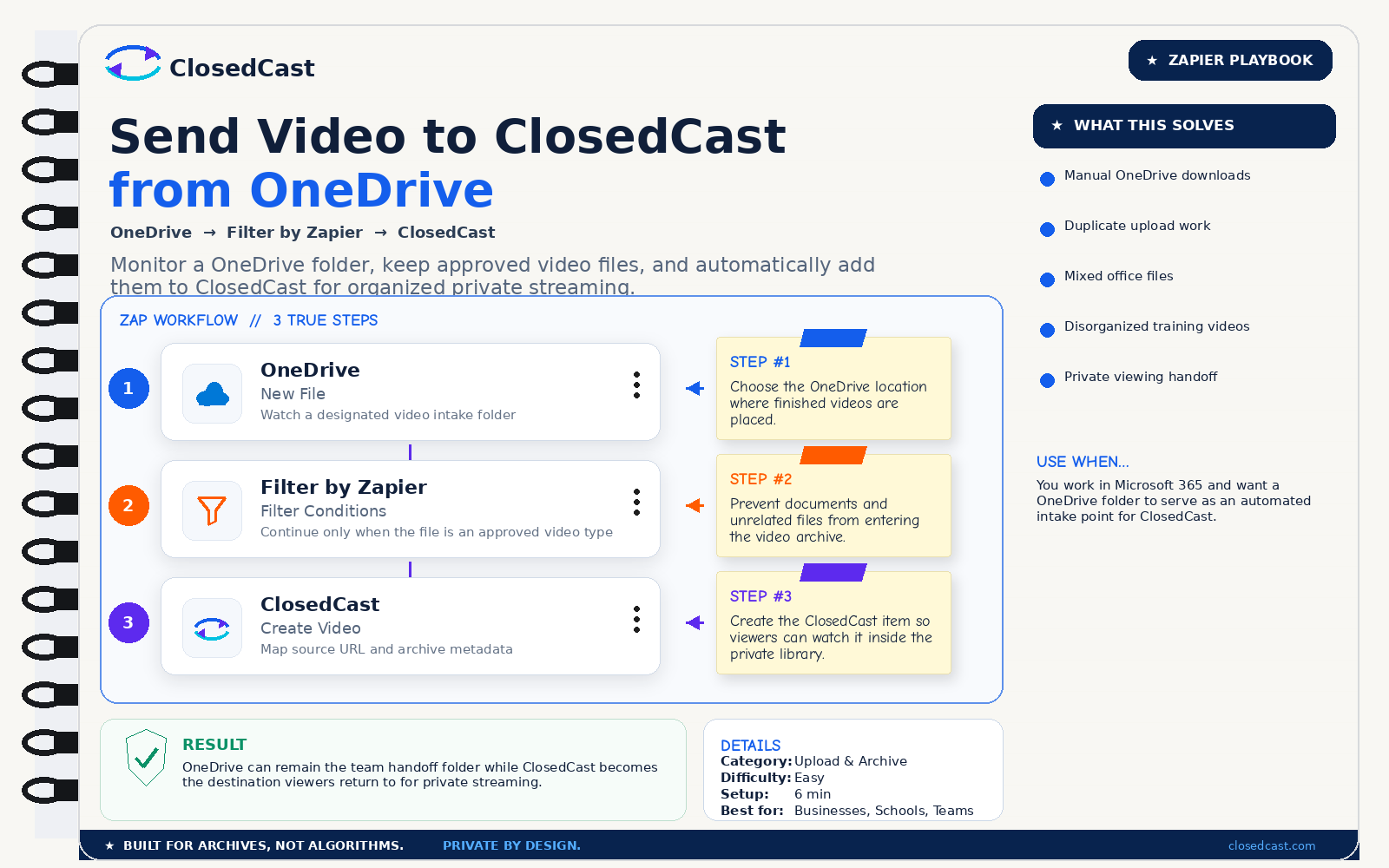
Send Video to ClosedCast from OneDrive
Monitor a OneDrive folder, keep approved video files, and automatically add them to ClosedCast for organized private streaming.
 Zapier Playbook
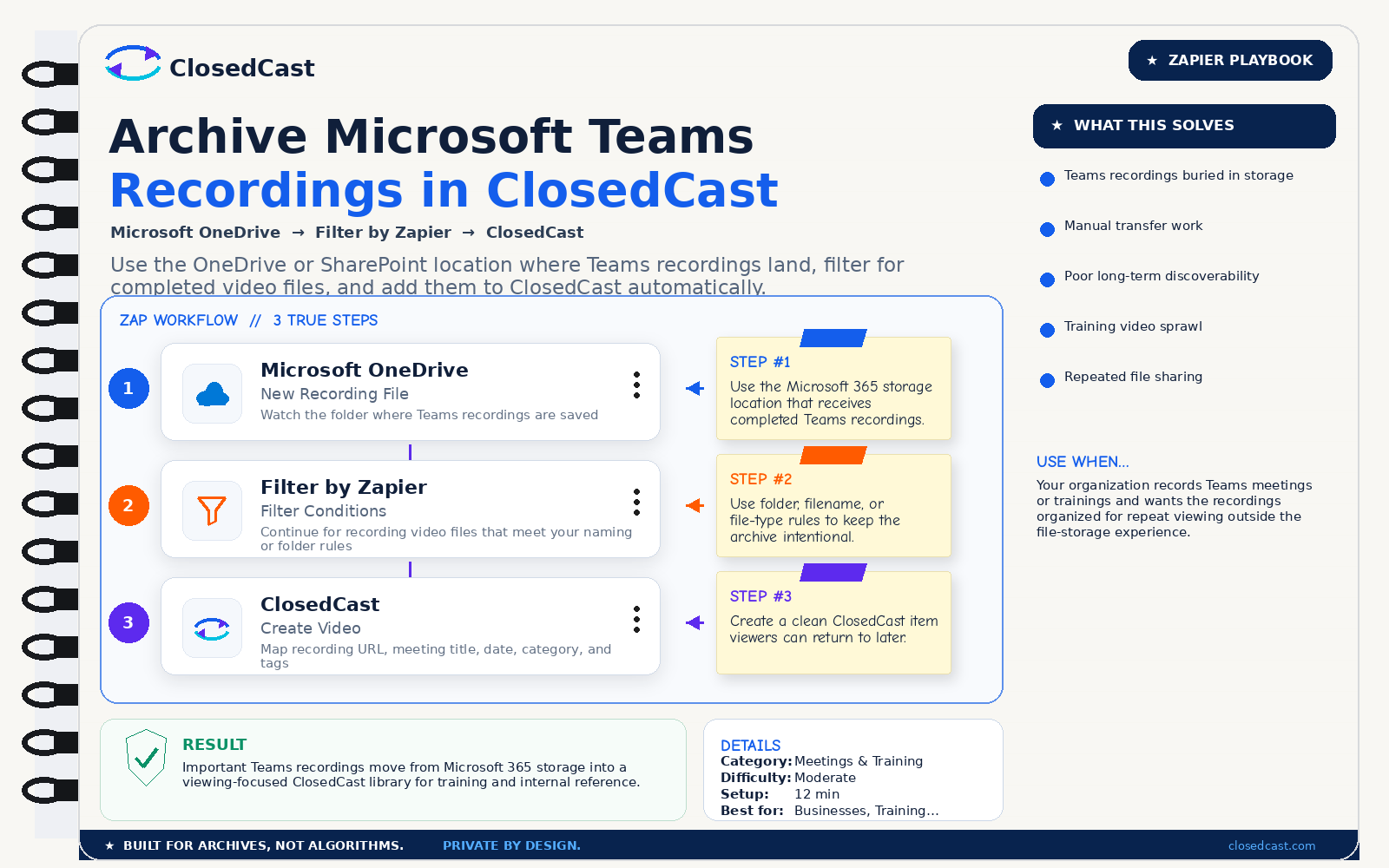
Archive Microsoft Teams Recordings in ClosedCast
Use the OneDrive or SharePoint location where Teams recordings land, filter for completed video files, and add them to ClosedCast automatically.
 Zapier Playbook
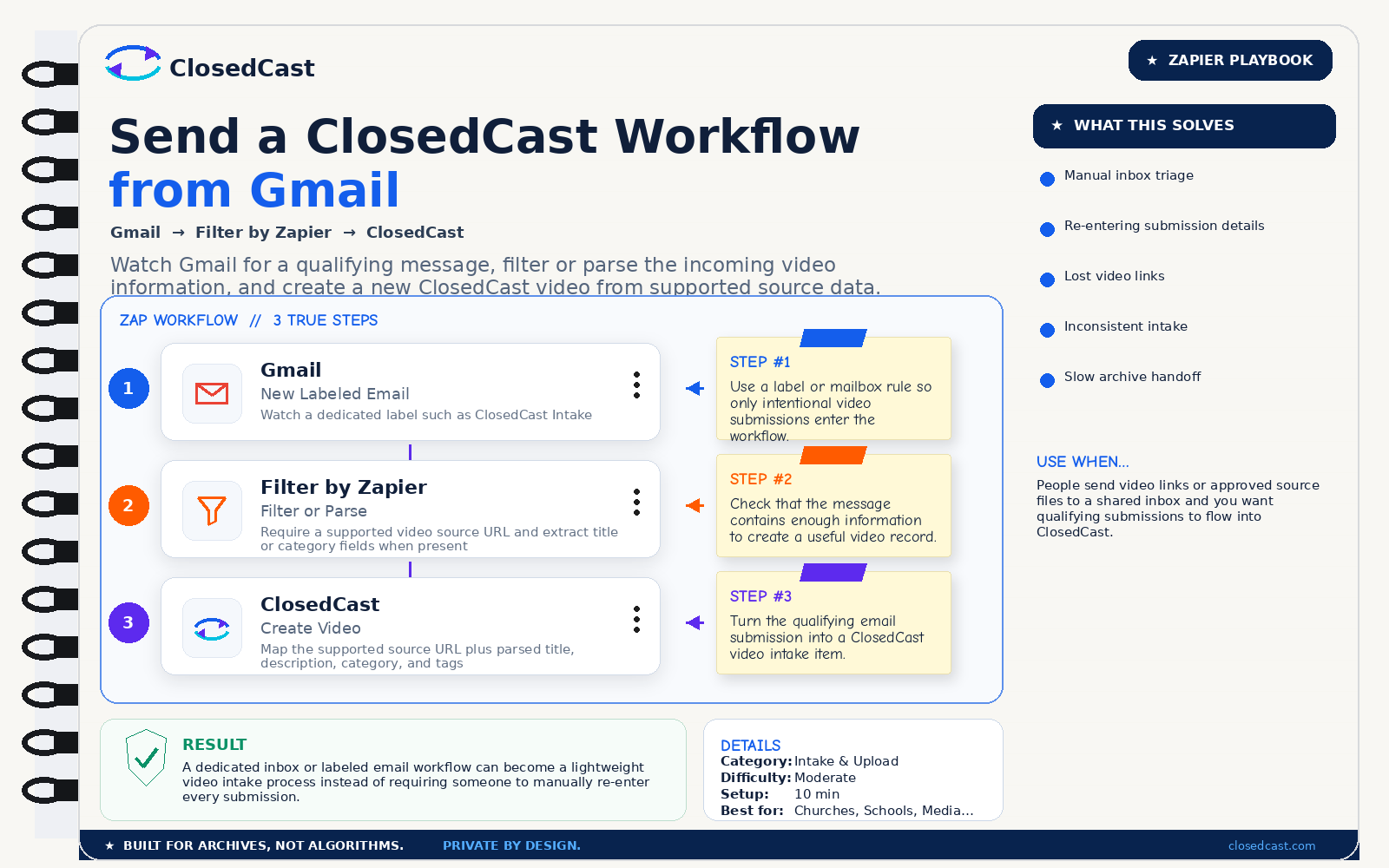
Send a ClosedCast Workflow from Gmail
Watch Gmail for a qualifying message, filter or parse the incoming video information, and create a new ClosedCast video from supported source data.
 Zapier Playbook
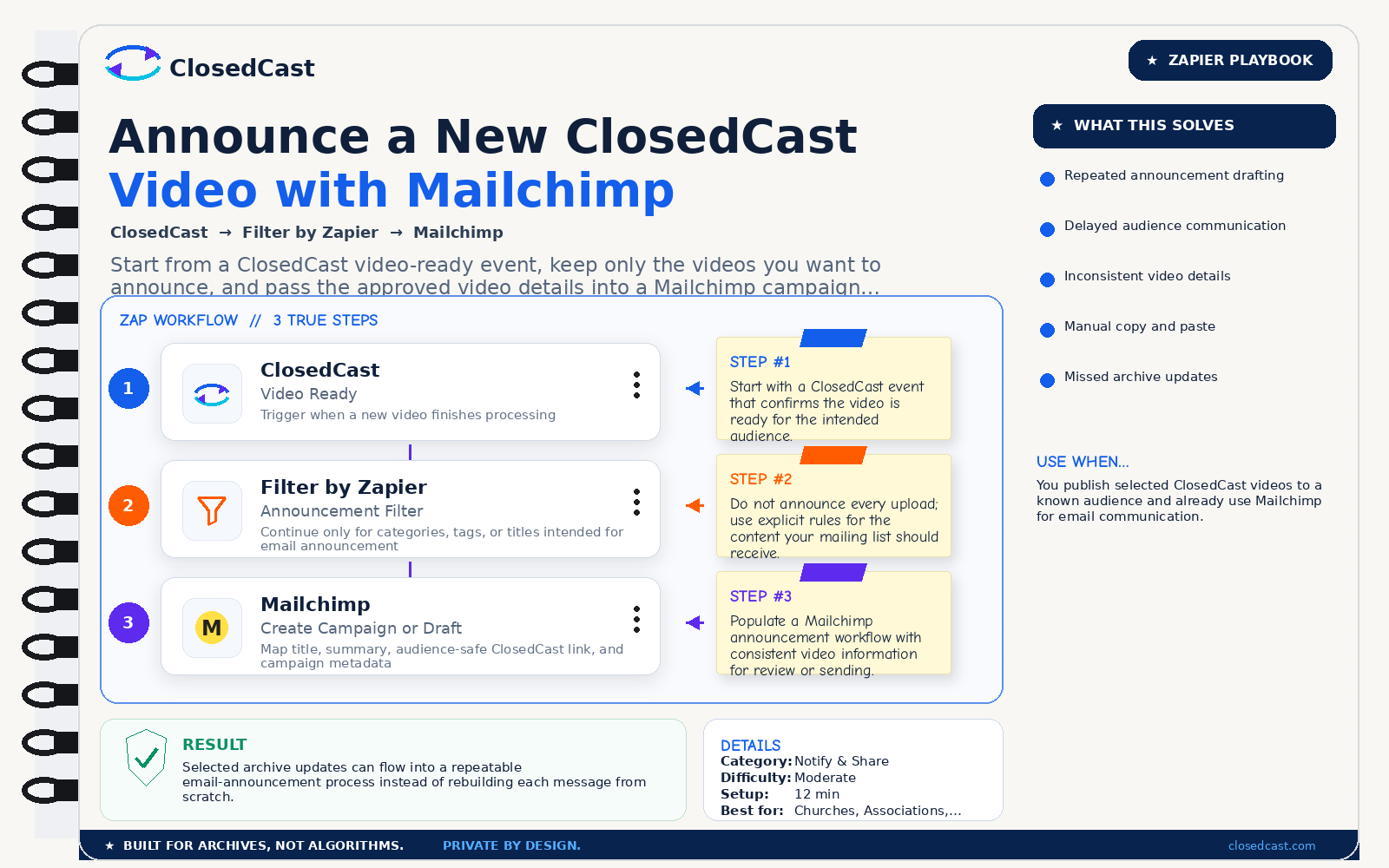
Announce a New ClosedCast Video with Mailchimp
Start from a ClosedCast video-ready event, keep only the videos you want to announce, and pass the approved video details into a Mailchimp campaign workflow.
No playbook recipes match that search yet.
Built to stay simple
Three real Zap steps
Each playbook keeps the actual automation focused on trigger, filter, and action.
Visual playbook + readable HTML
The iconic playbook image carries the visual story while the page text supports accessibility, SEO, and AEO.
One public recipe library
The same published recipe data powers the cards, filters, detail pages, structured data, and agent-readable endpoint.
© 2026 - ClosedCast ClosedCast Release Version 1.2 |Developers | Terms of Service | Contact Us | FAQs | Trust | Media and PressRoom |
2648 International Blvd Ste 301 Oakland, CA 94601



ClosedCast is an emerging leader in private video streaming , helping families, churches, teams, and organizations securely archive, share, and watch private videos online and on TV.
ClosedCast is an emerging leader in private video streaming , helping families, churches, teams, and organizations securely archive, share, and watch private videos online and on TV.