
Zapier Playbook Recipe
Invite ClosedCast Viewers from Google Sheets
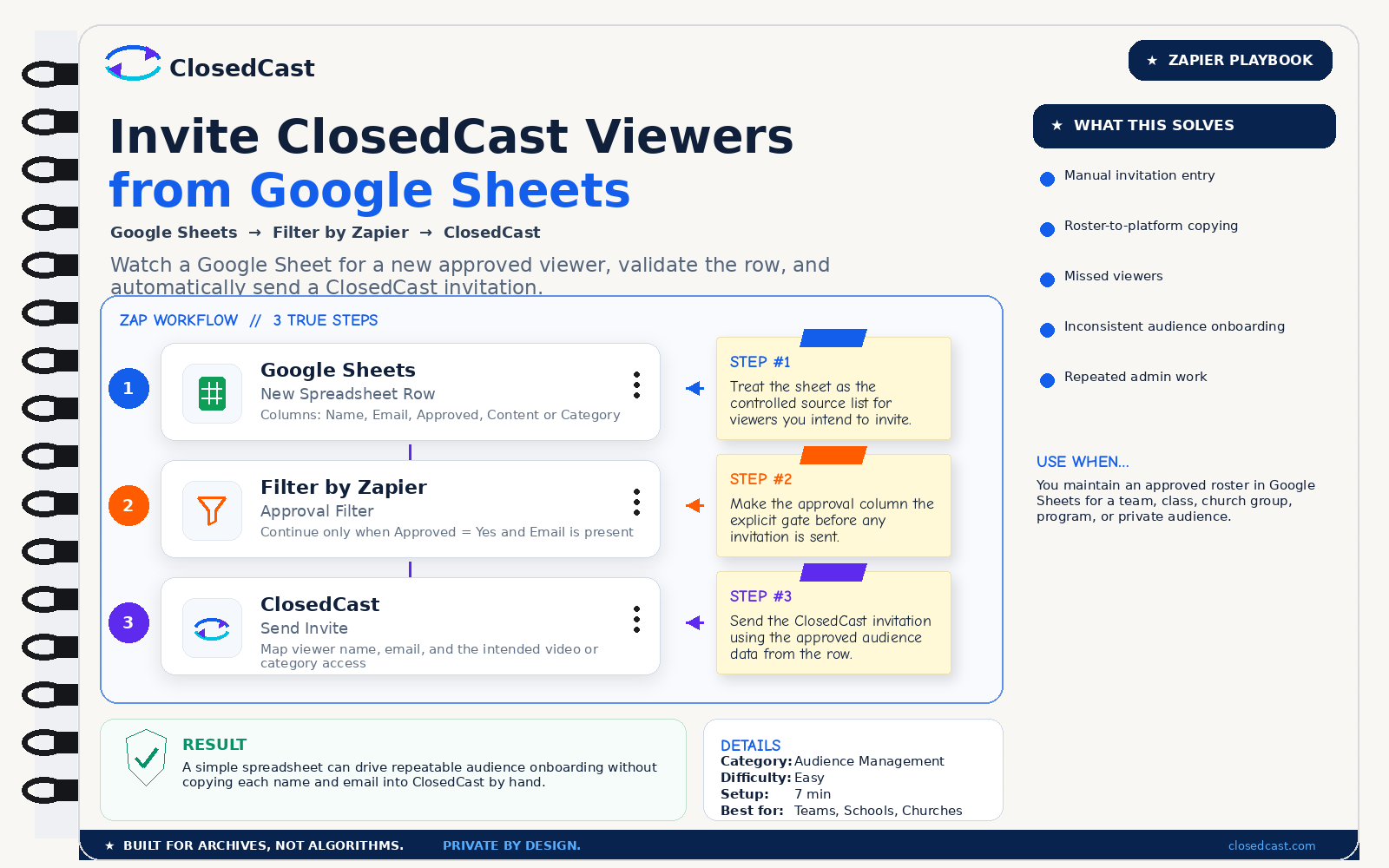
Watch a Google Sheet for a new approved viewer, validate the row, and automatically send a ClosedCast invitation.
What this automation does
InputNew approved viewer row in Google Sheets
OutputClosedCast invitation sent to the approved viewer
The 3-step Zap
1
Google Sheets — New Spreadsheet Row
Columns: Name, Email, Approved, Content or Category
Step #1: Treat the sheet as the controlled source list for viewers you intend to invite.
2
Filter by Zapier — Approval Filter
Continue only when Approved = Yes and Email is present
Step #2: Make the approval column the explicit gate before any invitation is sent.
3
ClosedCast — Send Invite
Map viewer name, email, and the intended video or category access
Step #3: Send the ClosedCast invitation using the approved audience data from the row.
Result
A simple spreadsheet can drive repeatable audience onboarding without copying each name and email into ClosedCast by hand.
© 2026 - ClosedCast ClosedCast Release Version 1.2 |Developers | Terms of Service | Contact Us | FAQs | Trust | Media and PressRoom |
2648 International Blvd Ste 301 Oakland, CA 94601



ClosedCast is an emerging leader in private video streaming , helping families, churches, teams, and organizations securely archive, share, and watch private videos online and on TV.
ClosedCast is an emerging leader in private video streaming , helping families, churches, teams, and organizations securely archive, share, and watch private videos online and on TV.