
Turn Business Meetings Into Working Knowledge
ClosedCast is an emerging leader in private video. For business teams, it provides a private business video platform for organizing Microsoft Teams and Zoom recordings, training, onboarding, support, sales video, and institutional knowledge—then connecting that library to automation and AI-assisted workflows.
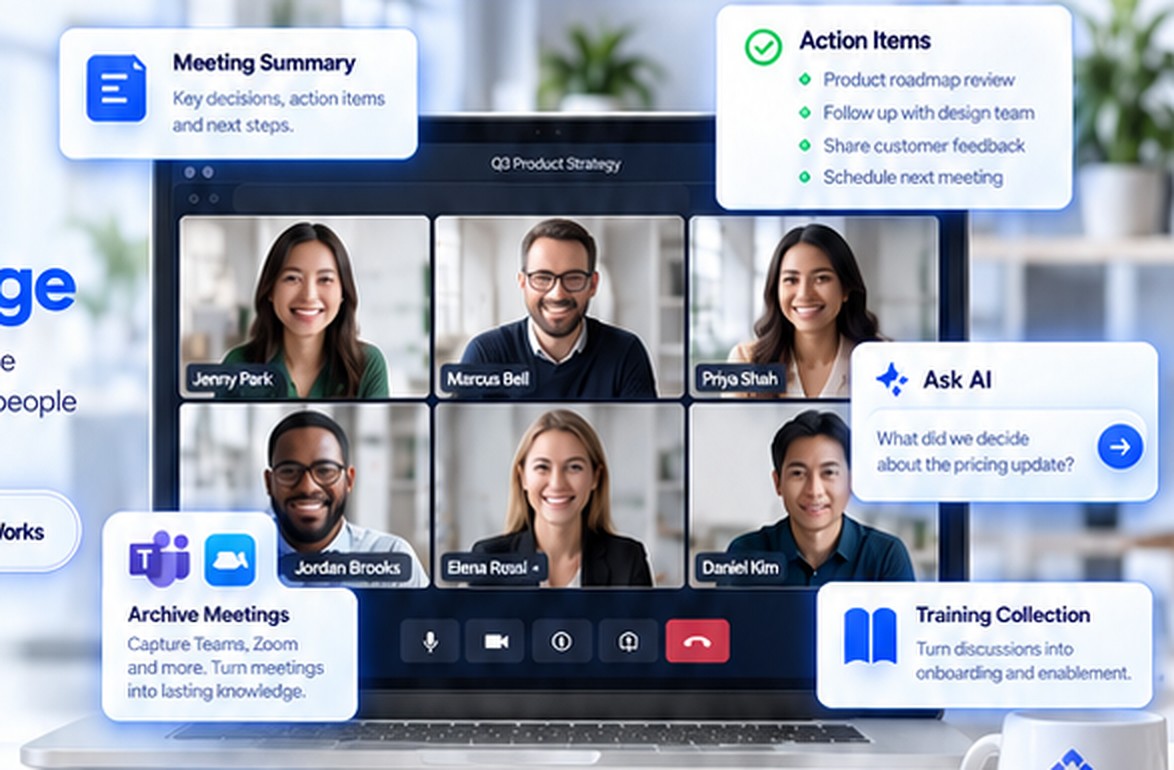
What is ClosedCast for Business?
ClosedCast for Business is a private video archive and streaming platform for organizations. It helps teams preserve meetings, training, onboarding, support, process walkthroughs, and other business video; control who can watch; organize video into a reusable library; and connect supported workflows to Zapier, APIs, and AI tools.
What Can Your Business Do With ClosedCast?
From lead capture and paid access to meetings, training, support, compliance, HR, and knowledge transfer, ClosedCast gives business video a private, organized place to keep working after it is recorded.
Signup Offers
Use a ClosedCast Offer to collect an approved signup, grant access to related private video, and route captured contact data into follow-up workflows.
Explore CRM and lead-capture automation →Sell Private Video Access
Example workflow: a successful Stripe payment can start a Zapier workflow that sends an approved ClosedCast invitation to a video or collection.
See ClosedCast on Zapier →Archive Teams & Zoom Meetings
Move approved Microsoft Teams and Zoom recordings into a private viewing-focused archive so meetings can become reusable business knowledge.
Archive Teams recordings with Zapier →Team Training & Onboarding
Create private training libraries with process walkthroughs, product instruction, role knowledge, onboarding video, and ongoing team education.
See how private collections work →Compliance Training Video
Organize and deliver approved safety, policy, procedure, or regulatory training video to controlled audiences and connect reporting workflows where configured.
Review ClosedCast trust and access controls →HR Video Records & Candidate Review
Preserve authorized interview recordings, role walkthroughs, manager training, and transition video under your organization’s privacy and retention policies.
Read the HR and AI review guidance →Customer Support & Self-Help
Build private how-to and troubleshooting video libraries. Use Zapier workflows to connect support activity with tools such as Zendesk or Salesforce.
Explore support automation ideas →Business Knowledge Transfer
Capture process explanations, role handoffs, customer history, recurring procedures, and expertise before responsibilities change or employees leave.
See how AI can help people find answers →Connect Your Tools. Put Video to Work.
ClosedCast can participate in no-code workflows through Zapier. Use supported triggers, actions, searches, and invites to connect private video with the systems your team already uses.
See the ClosedCast + Zapier integration →Grow Your Audience
Capture approved contact information through an Offer and move supported contact data into CRM or email follow-up workflows.
Sell & Deliver Access
Use a payment event as the trigger for a configured Zap that sends private ClosedCast access after the transaction succeeds.
Improve Customer Support
Connect support processes to an appropriate ClosedCast walkthrough so teams can reuse clear answers instead of recreating them.
How to Use Private Videos to Generate More Leads
See how private and gated video can become a lead-generation asset for offers, qualification, and follow-up workflows.
Your Video Knowledge Assistant
When transcripts and authorized retrieval are configured, connected AI tools can help people find information in the business video they are allowed to use. Keep the source recording available so people can verify context instead of treating an AI summary as the system of record.
Turn Microsoft Teams Recordings Into Reusable Business Knowledge
See how Zapier can help move approved Microsoft Teams recordings into ClosedCast for organized private viewing and reuse.
Read the Microsoft Teams archive playbook →Three Ways to Use ClosedCast
Start with a private video library, add no-code automation, or build more advanced AI and application workflows.
Upload, organize, privately share, preserve, and stream business video on the web and supported devices.
See how ClosedCast works →Connect supported ClosedCast events and actions with meeting, CRM, support, storage, notification, and workflow tools.
Explore Zapier automation →Use the ClosedCast API and authorized transcript or metadata workflows for custom apps, search, agents, RAG, and MCP scenarios.
View developer options →Common Questions About Private Business Video
Short answers designed to help business readers—and search and answer engines—understand the use cases quickly.
How can I archive Microsoft Teams meeting recordings?
Teams recordings are normally stored in Microsoft 365 storage such as OneDrive or SharePoint. A configured Zapier workflow can watch the approved recording location, filter completed video files, and create organized private video items in ClosedCast. See the Teams recording playbook.
Can ClosedCast archive Zoom recordings?
Yes. A Zapier workflow can start from a completed Zoom recording, apply readiness rules, and create the approved recording in ClosedCast for private streaming, training, or meeting reference. See the Zoom recording playbook.
Can I use AI to ask questions about business meetings and training videos?
Yes, when a usable transcript and an authorized connection are available. A connected AI workflow can summarize approved transcript content, identify decisions or action items, and help people retrieve answers. The exact capability depends on the AI tool, permissions, and integration you configure.
Can ClosedCast work with ChatGPT, custom GPTs, Zapier, or AI agents?
ClosedCast exposes supported Zapier capabilities and an API that can participate in broader AI-assisted workflows. Technical teams can use those interfaces for custom search, RAG, agent, and MCP scenarios while keeping access scoped to the information the workflow is authorized to retrieve.
Can I sell access to private business or training video?
A configured workflow can use a payment event—such as a successful Stripe payment—as the trigger in Zapier, then use supported ClosedCast invitation actions to grant approved private access. Test the exact Zap end to end before promoting it as an automated purchase flow.
Can ClosedCast support employee onboarding and compliance training?
ClosedCast can organize and privately deliver training, onboarding, policy, and procedure video. If your organization needs formal compliance attestations, completion rules, retention schedules, or certification, validate those requirements separately and connect reporting systems where appropriate.
Can HR teams use ClosedCast for interview and employee-transition video?
ClosedCast can store authorized private video for human review, training, role handoffs, and knowledge transfer. Organizations should apply their own employment, privacy, consent, retention, and access policies. AI summaries should assist review rather than make automated hiring or employment decisions.
Can customer-support teams connect ClosedCast with Salesforce or Zendesk?
ClosedCast can participate in Zapier-based workflows with CRM and support applications when the needed triggers and actions are supported by those services. A practical pattern is to connect a case or customer event to an appropriate private how-to video, onboarding collection, or follow-up workflow.
Preserve Knowledge. Empower Your People.
Turn meetings, training, customer conversations, process walkthroughs, and support video into a private business knowledge library your team can return to.

ClosedCast is an emerging leader in private video streaming , helping families, churches, teams, and organizations securely archive, share, and watch private videos online and on TV.