
Zapier Playbook Recipe
Send Video to ClosedCast from Google Drive
Automatically watch a Google Drive folder, keep only approved video files, and upload them into ClosedCast for private streaming.
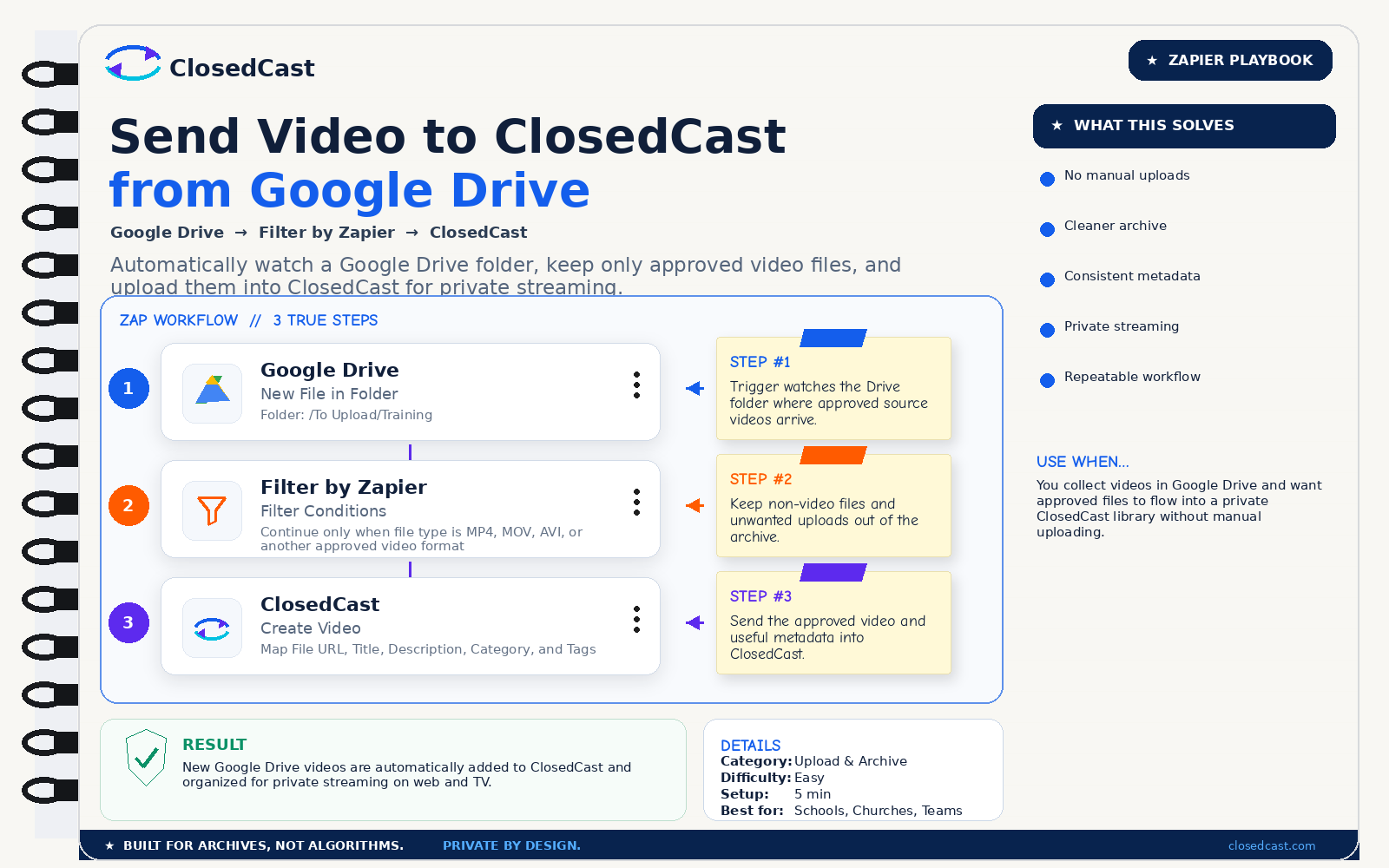
What this automation does
InputNew video file in a Google Drive folder
OutputPrivate video in ClosedCast, organized and ready to stream
The 3-step Zap
1
Google Drive — New File in Folder
Folder: /To Upload/Training
Step #1: Trigger watches the Drive folder where approved source videos arrive.
2
Filter by Zapier — Filter Conditions
Continue only when file type is MP4, MOV, AVI, or another approved video format
Step #2: Keep non-video files and unwanted uploads out of the archive.
3
ClosedCast — Create Video
Map File URL, Title, Description, Category, and Tags
Step #3: Send the approved video and useful metadata into ClosedCast.
Result
New Google Drive videos are automatically added to ClosedCast and organized for private streaming on web and TV.
© 2026 - ClosedCast ClosedCast Release Version 1.2 |Developers | Terms of Service | Contact Us | FAQs | Trust | Media and PressRoom |
2648 International Blvd Ste 301 Oakland, CA 94601



ClosedCast is an emerging leader in private video streaming , helping families, churches, teams, and organizations securely archive, share, and watch private videos online and on TV.
ClosedCast is an emerging leader in private video streaming , helping families, churches, teams, and organizations securely archive, share, and watch private videos online and on TV.