
Zapier Playbook Recipe
Connect ClosedCast Viewer Activity with HubSpot
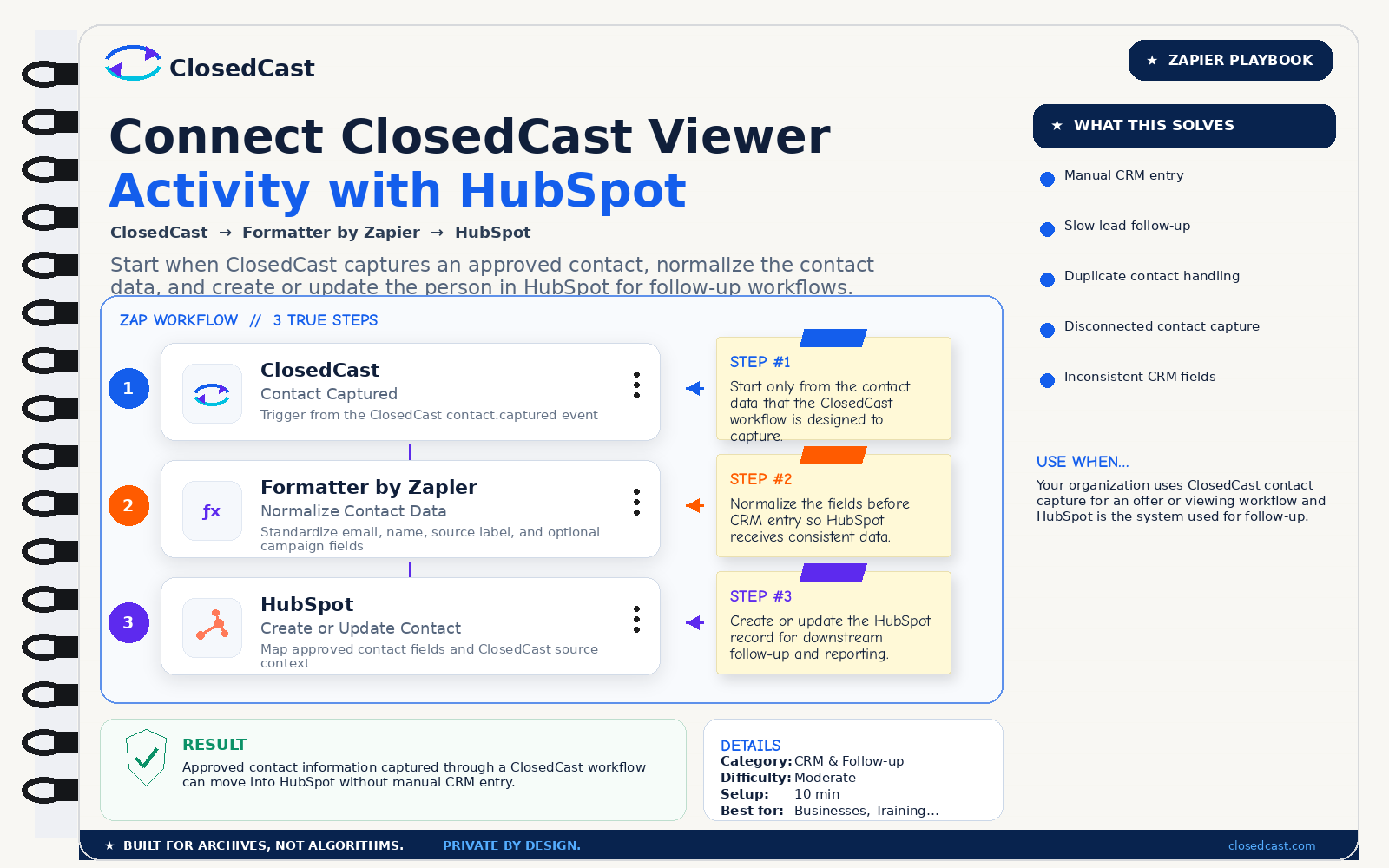
Start when ClosedCast captures an approved contact, normalize the contact data, and create or update the person in HubSpot for follow-up workflows.
What this automation does
InputClosedCast Contact Captured event
OutputHubSpot contact created or updated with approved contact fields
The 3-step Zap
1
ClosedCast — Contact Captured
Trigger from the ClosedCast contact.captured event
Step #1: Start only from the contact data that the ClosedCast workflow is designed to capture.
2
Formatter by Zapier — Normalize Contact Data
Standardize email, name, source label, and optional campaign fields
Step #2: Normalize the fields before CRM entry so HubSpot receives consistent data.
3
HubSpot — Create or Update Contact
Map approved contact fields and ClosedCast source context
Step #3: Create or update the HubSpot record for downstream follow-up and reporting.
Result
Approved contact information captured through a ClosedCast workflow can move into HubSpot without manual CRM entry.
© 2026 - ClosedCast ClosedCast Release Version 1.2 |Developers | Terms of Service | Contact Us | FAQs | Trust | Media and PressRoom |
2648 International Blvd Ste 301 Oakland, CA 94601



ClosedCast is an emerging leader in private video streaming , helping families, churches, teams, and organizations securely archive, share, and watch private videos online and on TV.
ClosedCast is an emerging leader in private video streaming , helping families, churches, teams, and organizations securely archive, share, and watch private videos online and on TV.